The Agent Orchestration UX Framework — Designing the AI Layer of 2026
- Written by
 Luís Monteiro
- Published
- Last updated
When products introduce agents, they introduce something else too: a new kind of UX complexity called delegation. Users are no longer making the work, they’re managing work done on their behalf.
Most products aren’t designed for this. They still rely on interaction patterns built for deterministic systems: Click → action → predictable result. AI brings non-deterministic interfaces, which means embracing a lot more uncertainty about how the software responds.
When you introduce agents into a product, you’re also introducing three new responsibilities for users: what we’re calling DUV:
- D — Define what should be done.
- U — Understand what is happening.
- V — Verify the outcome.
If your product doesn’t support these three things clearly, your “AI feature” will feel unreliable, no matter how good the underlying model is.
Agent orchestration is a UX problem
There’s a common mistake happening right now: most teams treat agent orchestration as an infrastructure or engineering challenge.
But the hardest problems show up at the interface layer. That’s where trust is built with the majority of users.
What most users actually care about are three questions: Can I trust this? Should I verify this? What happens if it’s wrong?
If your product doesn’t answer these clearly, users will default to distrust and your feature won’t be used. Each of those questions maps back to DUV, defining is what makes control possible, understanding what’s happening is what builds trust and verifying the outcome is how to avoid failure.
The Agent Orchestration UX Framework
To design effective agent-based products, you need to think beyond “features” and start designing systems users can delegate to, observe, and control.
This Framework focuses on three critical dimensions:
- Building trust
- Staying in control
- Failure handling
1. Designing for transparency
Users start trusting AI because they can understand, verify, and recover from its behavior.
When an agent is working on their behalf, users need visibility into:
- What the agent is doing
- Why it is doing it
- What it is using (data, tools, sources)
- How confident it is, without fake precision
This is what we call AI execution transparency.
Example:
A user asks an agent to generate a market report.
Bad experience:
Loader → “Done” → wall of text with no credibility
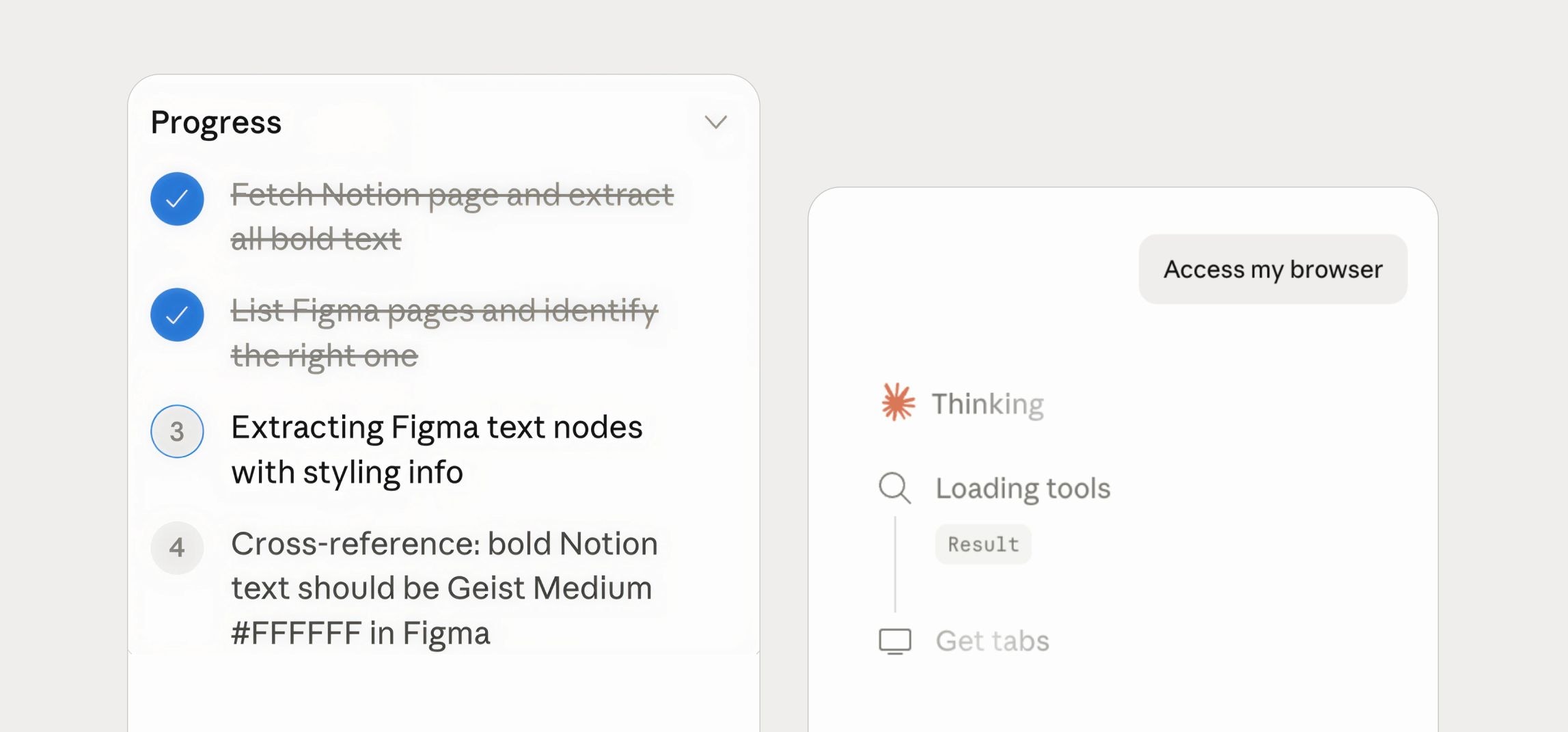
Better experience:
→ ”Searching for recent fundings…”
→ ”Analysing 10 competitors…”
→ ”Structuring key differences…”
→ ”Exposing all sources…”
2. Designing the guardrails
This is one of the hardest tensions in agent orchestration interfaces.
Too much control makes the UI feel manual and defeats the purpose of automation. Too much autonomy feels opaque and can bring concerns. The goal isn’t to go either way, it’s to dial autonomy based on the importance task.
Autonomy range
- Approve each step;
- Let users intervene;
- Let users observe, interrupt and adjust;
- Review only afterwards, with everything running autonomously.
What this looks like in practice
Users should be able to:
- Approve before execution on high-stakes tasks
- Intervene mid-process
- Adjust instructions without restarting everything
- Limit scope (e.g. “only use X data”)
- Re-run with modifications
This is the foundation of human-in-the-loop systems.
Example:
A designer asks an agent to audit the current onboarding and propose improvements.
Bad experience:
”Analyzing onboarding…” → delivers a complete new flow with no explanation of what changed or why.
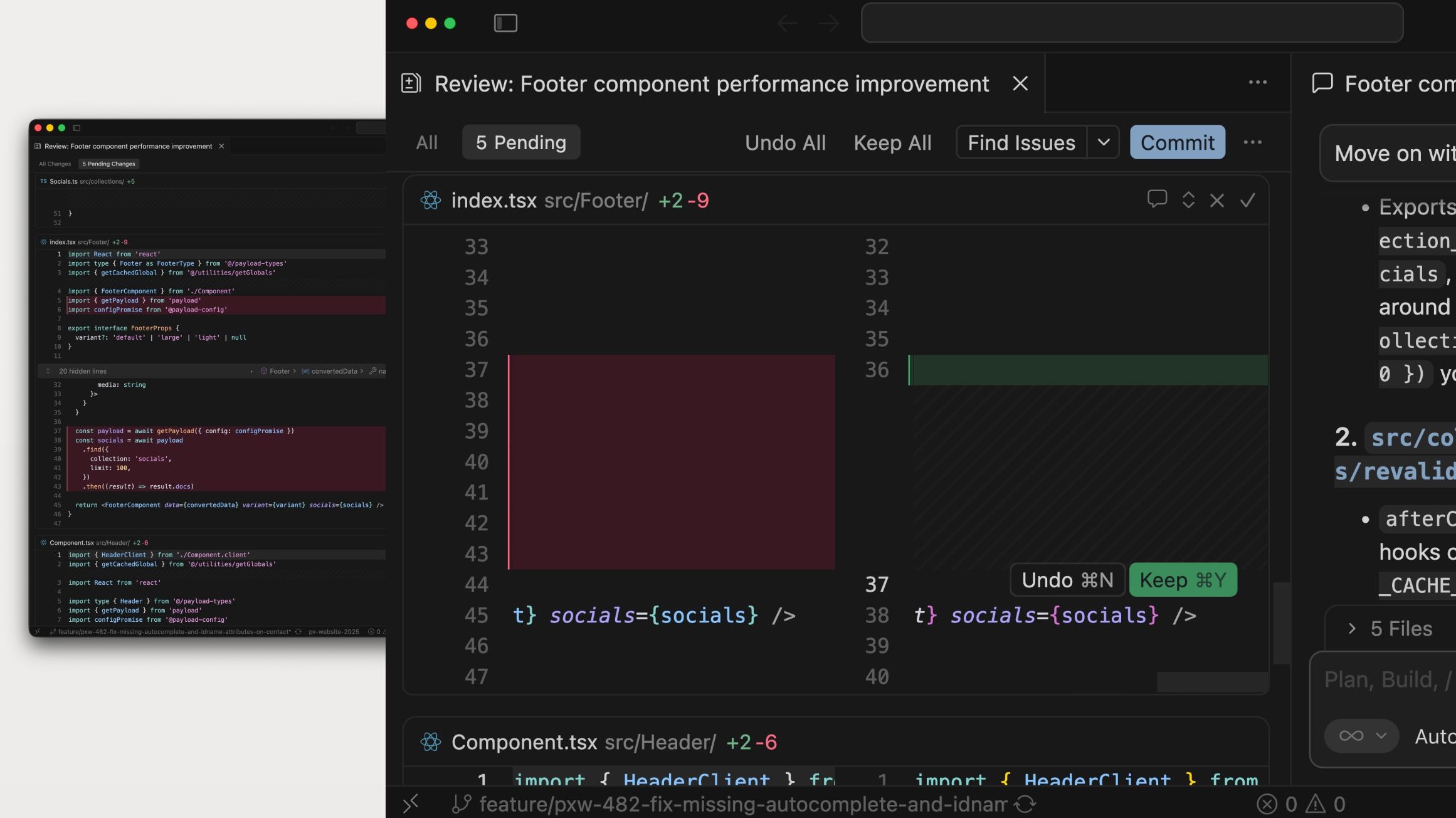
Better experience:
→ ”Reading current onboarding flow”
→ ”Comparing against best practices…”
→ ”Proposing changes for screen 1 to reduce cognitive load…”
→ ”Suggesting removing fields 4 and 5. Please review before continuing…”
→ Proposal shown as a before/after, approved individually
→ Agent waits for sign-off before moving to the next screen
3. Designing for failure
Failure is not an edge case in AI systems. It’s a core state, and it deserves the same attention as the happy path.
Agents will misinterpret intent, use the wrong data, produce partially correct outputs and stall or loop. When that happens silently, users don’t just lose the output, they lose trust in the entire product.
Failure-aware UX requires four things:
- Detection: Make it obvious when something might be wrong and avoid overconfident outputs.
- Explanation: What failed? Where in the process? What was affected?
- Recovery: Let users retry specific steps and switch instructions.
- Containment: Prevent failures from happening and keep outputs reversible until users validate them.
Example:
An agent runs every monday, pulls user’s activity from the past week, and sends them a personalized digest by email.
Bad experience:
“Something went wrong”
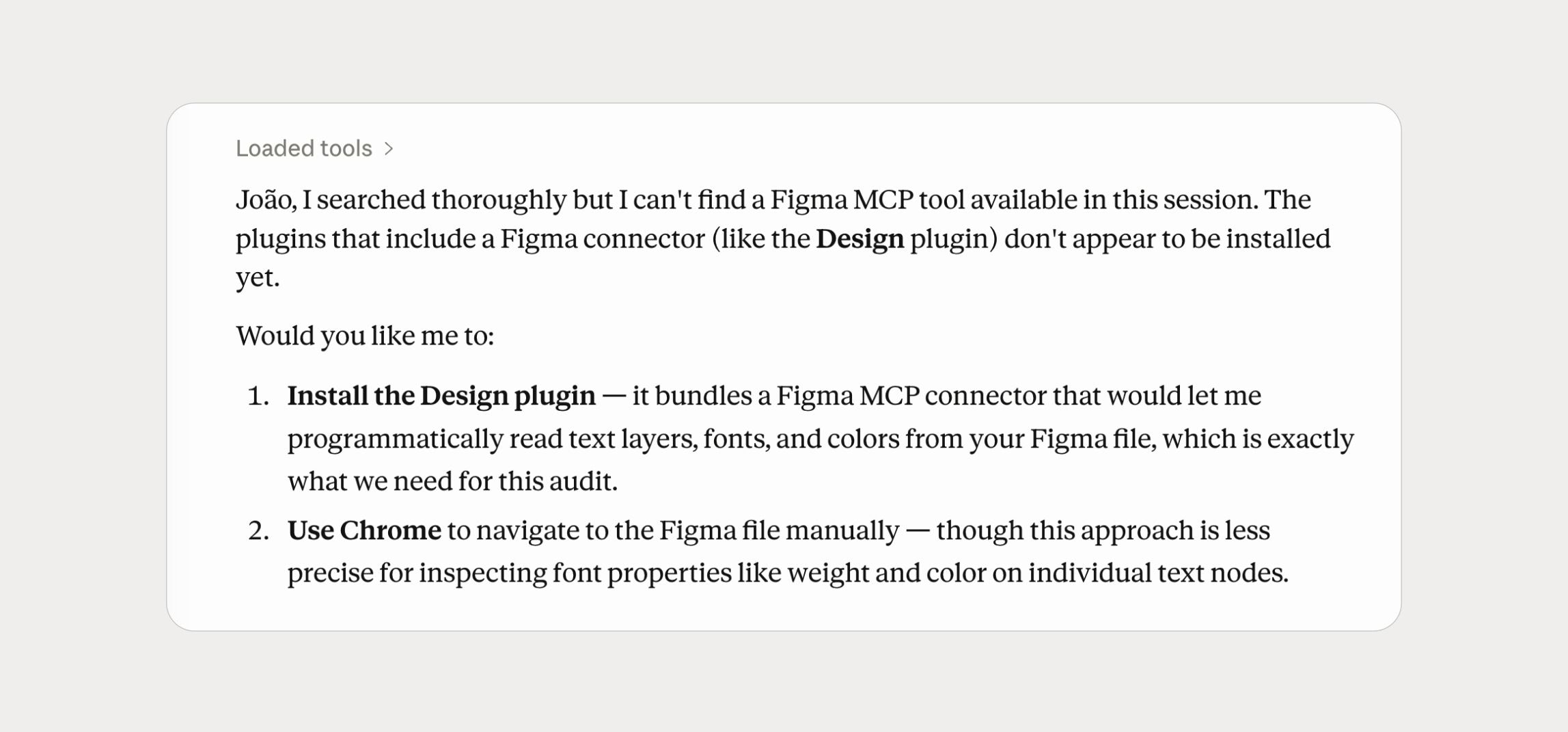
Better experience:
→ “Pulling your activity from last week…”
→ “Could not retrieve data from Thursday, there’s a sync issue”
→ “Digest drafted with Monday to Wednesday and Friday data”
→ “Send with available data, or try again to retrieve Thursday’s data?”
→ Please confirm how to proceed
What this means for product teams
If you’re building AI features today, you’re not just adding a capability, you’re re-thinking the relationship between users and software.
Traditional UX looked at the interface as the product only. With AI features, the interface also needs to be trusted, which determines whether a user delegates confidently or abandons the feature/product entirely.
That’s another design problem. It requires thinking about transparency, control, and failure. The teams that get this right won’t just ship better AI features/products, they’ll ship products users actually come back to.
Written by

Luís Monteiro
CDO
As CDO of Pixelmatters, Luís Monteiro has led design for over a decade, building the practice and the systems behind products for Fortune 500s and startups. He writes on product design, design systems, and designing for AI.